Notes
Sending Offline Conversions to Google Ads with n8n
n8n can send verified outcomes from almost any CRM to Google Ads: a trigger on a stage change, a filter that checks the click identifier and the age of the click, a node that builds the payload, an upload to Google's Data Manager API, and a log row for every attempt. The last node is the one most builds leave out, and the one that makes the whole thing trustworthy.
Key takeaways
- Five nodes, one of which exists purely so you can prove what was sent.
- Trigger on a stage change a human confirms, never on a form submission.
- The payload is a click identifier, a conversion action, a time and optionally a value. Nothing else.
- Google accepts a click for up to 90 days, so the filter has to check age.
- Self-hosted automation is fine for small accounts; reconcile it monthly against a file you can read.
Contents
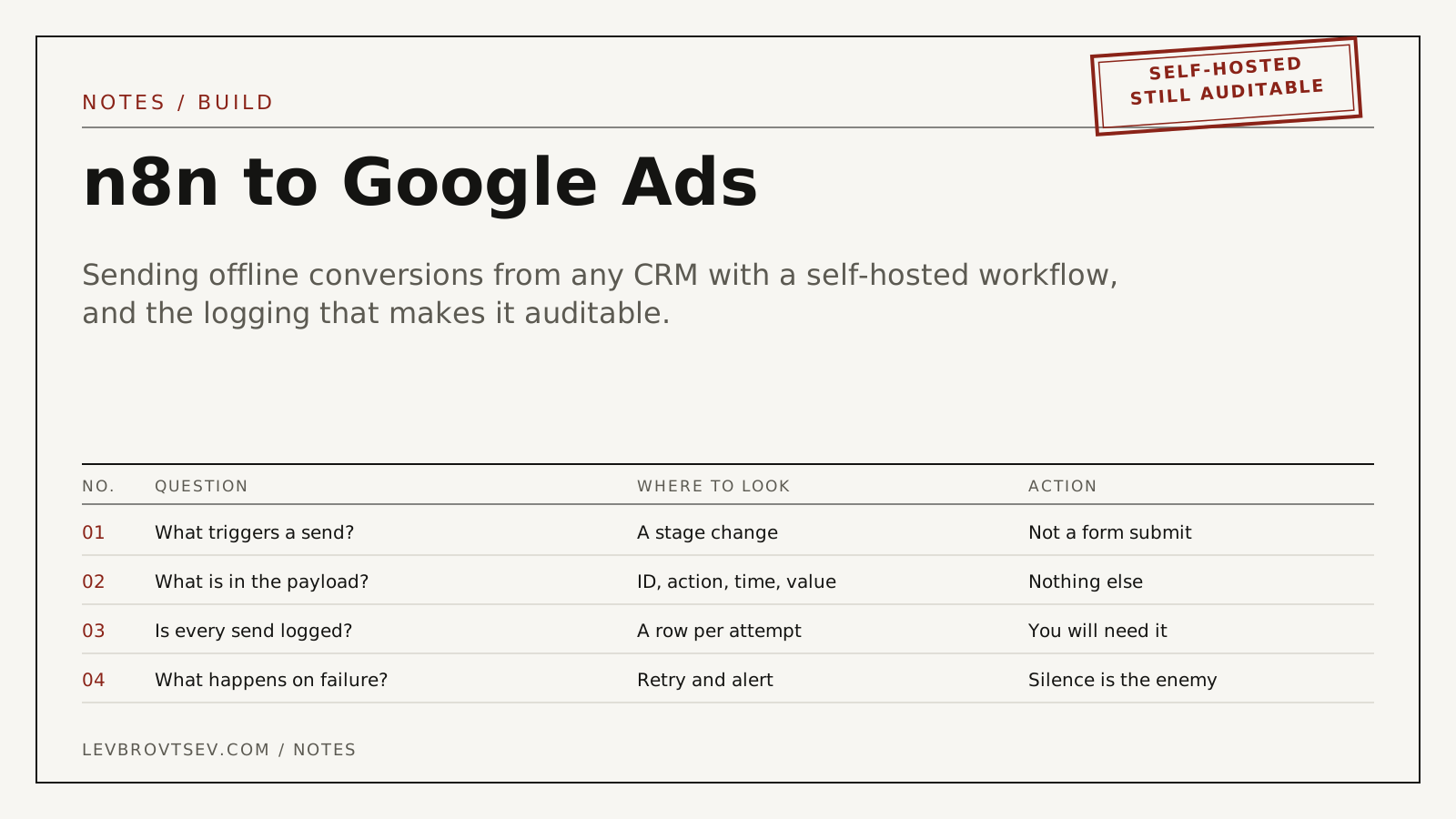
Your CRM is not Salesforce and has no native Google Ads integration. You still need to tell Google which enquiries became patients. n8n sits in the middle, and because it is self-hosted you can keep the whole thing inside infrastructure you control, which matters in regulated fields.
Why n8n for this
Three reasons. It self-hosts, so patient-adjacent data does not pass through a third-party automation vendor you would otherwise need an agreement with. It speaks to almost any CRM through HTTP nodes, so it does not depend on a native integration existing. And the workflow is visible, so somebody other than its author can see what it sends.
The same job can be done with a scheduled CSV upload, and for larger accounts that remains my preference. The reasoning is in the offline conversion tracking guide.
The workflow, node by node
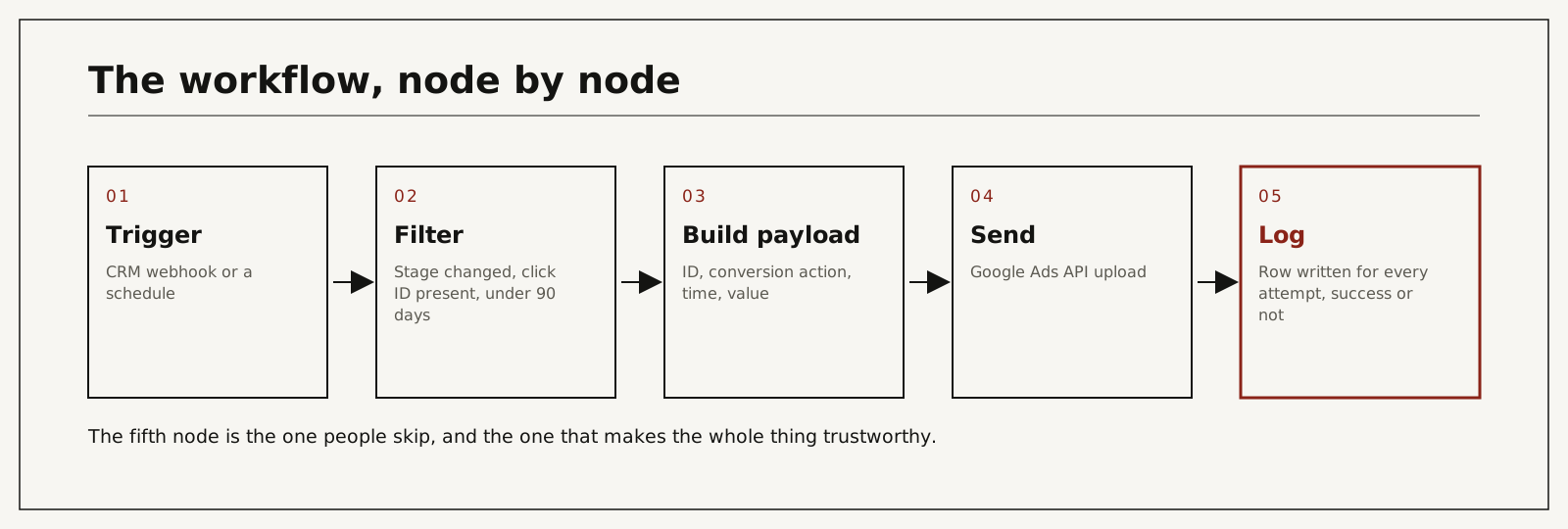
- Trigger. A webhook from the CRM when a record changes stage, or a schedule that polls for records updated since the last run. Prefer the schedule if the CRM's webhooks are unreliable, which is common.
- Filter. Continue only if the stage is one you report, the click identifier is present, the click is under 90 days old, and this record has not already been sent for this conversion action.
- Build payload. Click identifier, the conversion action ID as the destination, conversion time with an explicit timezone offset, and a value if you use one.
- Send. An HTTP node calling the Data Manager API, which replaced the Google Ads API click conversion upload on June 15, 2026, with credentials stored in n8n rather than in the workflow body.
- Log. Write a row for every attempt: record ID, identifier, action, time, response code and any error text. Append it to a sheet, a database table or back onto the CRM record.
The payload
| Field | Example | Note |
|---|---|---|
| Click identifier | the gclid, gbraid or wbraid stored at enquiry | Exactly one per conversion, case preserved |
| Conversion action | its ID from your account | Use neutral names such as "Stage 2" |
| Conversion time | 2026-09-14 15:20:00-04:00 | Always with an explicit offset |
| Value | 1, 5 or 20 | Weights are safer than real prices in healthcare |
For clinics, the conversion action names matter as much as the fields. A conversion list that reads like a service menu discloses more than the payload does. The reasoning is in click-ID-only conversion feeds, and the identifier in what a GCLID is.
Logging, and why it is not optional
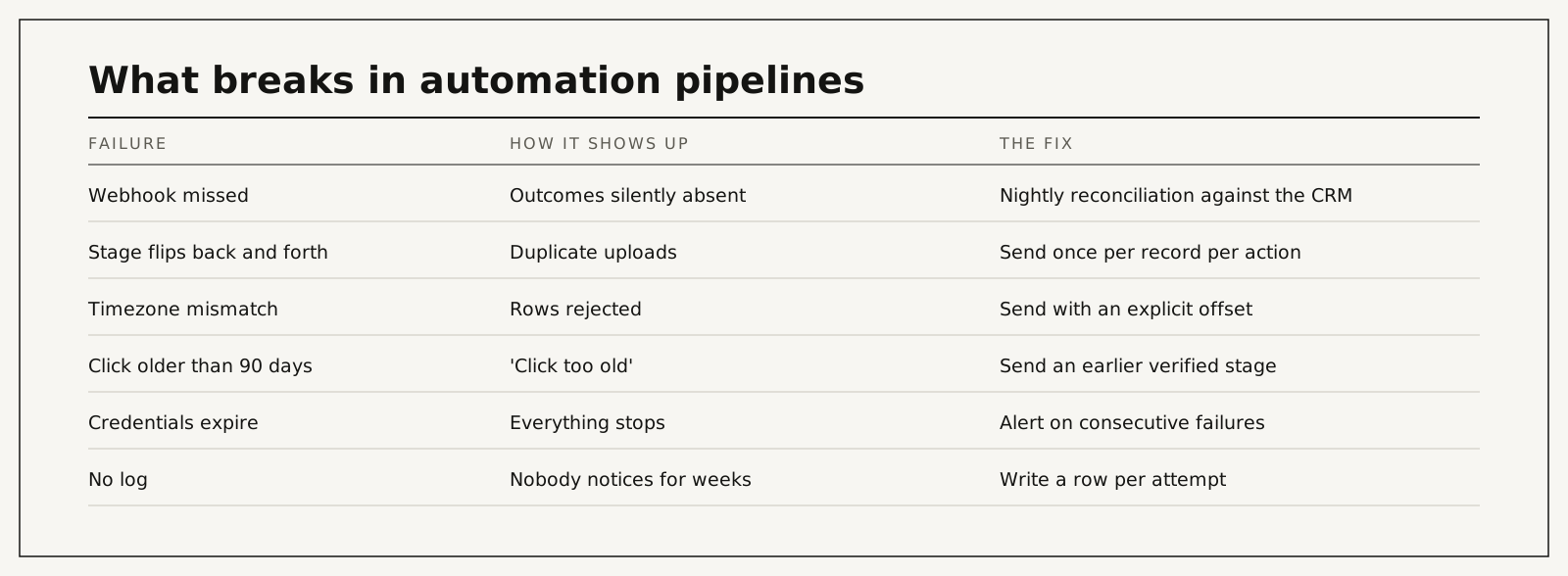
An automation pipeline fails silently. A webhook is missed, a credential expires, a timezone changes with daylight saving, and nothing anywhere tells you. Weeks later the account is bidding on partial data and everyone assumes the feature "did not work".
The log node costs ten minutes and makes three things possible: proving to a privacy officer exactly what was sent, reconciling monthly against CRM stage counts, and alerting when consecutive failures occur.
What breaks
| Cause | What actually happens | Hidden cost | What you see | Risk level |
|---|---|---|---|---|
| Webhook missed | Outcomes never sent | Bidding learns from a partial sample | CRM stage count above upload count | High |
| Stage flips back and forth | The same outcome uploaded twice | Inflated results | Duplicates in the log | Medium |
| Timezone or format error | Rows rejected | Partial data looks complete | Errors in the upload response | Medium |
| Click older than 90 days | Google rejects it | Long cycles lose their final stage | "Click too old" | Medium |
| Credentials expire | Everything stops | Weeks of blind bidding | A wall of failures in the log | High |
| No log at all | Nobody notices any of the above | Months | Nothing, which is the problem | High |
When not to use automation for this
If the account carries meaningful spend, run a scheduled CSV import as the source of truth and use automation as the fast path, reconciled against the file monthly. Webhooks fail, statuses change, deduplication breaks between objects, and none of it raises an alarm on its own. That position has not changed.
What it costs
| Route | Typical cost | Time to the first verified upload | What it depends on |
|---|---|---|---|
| Build it yourself in n8n | Hosting plus a day of work | Days | API access and CRM webhooks |
| Hire a developer | Upwork lists tag manager and automation specialists at $20 to $49 an hour, median $30; senior US consultants at $85 to $175 | Days | CRM complexity |
| I build it | Paid audit $500 per channel, credited toward setup; setup from $1,500 | Scoped in the audit, then about 30 clean days before bidding relies on it | Entry points, CRM, sign-off |
The paid audit covers one ad channel for one location: the account, the tracking and the path from enquiry to booked patient, ending with a prioritized fix list. It is $500, paid upfront, and credited toward setup if we work together.
You work with me directly. There are no account managers and no juniors.
15 minutes. With me, not a sales rep.
Build the log node first
Before wiring the trigger, build the node that writes a row for every attempt. Everything else in this workflow can be rebuilt in an afternoon; the weeks of silent failure that happen without a log cannot be recovered. If you would rather have it built and documented for you, start with the audit, or see CRM-verified attribution.
Frequently asked questions
Can n8n send offline conversions to Google Ads?
Yes, through an HTTP node calling Google's Data Manager API, which has handled offline conversion uploads since June 15, 2026. There is no need for a dedicated Google Ads node.
Should I use a webhook or a schedule?
A schedule is more reliable in practice. Webhooks are faster but fail silently, which is the main risk in this kind of pipeline.
What about ActiveCampaign or another CRM?
The pattern is identical: trigger on a stage change, filter, build, send, log. Only the first node differs.
How often should the workflow run?
Daily is enough for most accounts. Bidding weights recent data, but hourly runs add failure modes without adding much signal.
Is self-hosted n8n safer for healthcare?
It keeps the data inside infrastructure you control, which removes one vendor from the agreement conversation. It does not remove the need to decide what the payload contains.
What if the click is older than 90 days?
Send an earlier verified stage inside the window and keep the final outcome for your own reporting. Google will reject anything older.
Who does the work if I hire you?
I do: the workflow, the payload, the logging and the reconciliation routine. Nothing is subcontracted or delegated.
How do I verify it is working?
Three places: the log rows, the upload diagnostics in Google Ads, and a monthly comparison of uploaded counts against CRM stage counts. If all three agree, it works.